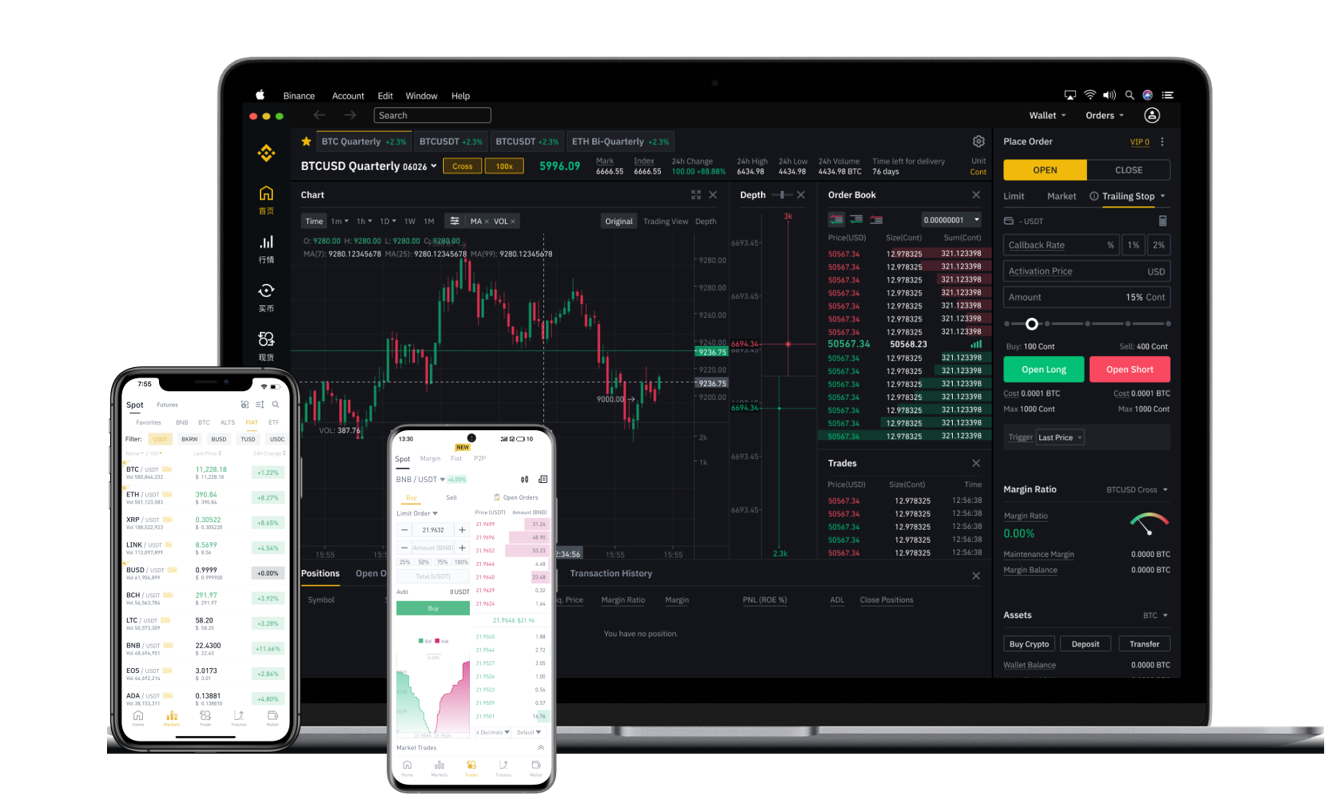
How to Trade Bitcoin Futures on Binance: A Step-by-Step Guide for Beginners

Bitcoin futures trading on Binance is one of the most popular ways to gain leveraged exposure to cryptocurrency price movements without owning the underlying asset. For beginners, understanding how to operate the Binance futures platform is essential to managing risk and executing trades effectively. This guide provides a clear overview of the key steps involved in trading Bitcoin contracts on Binance.
1. Setting Up Your Binance Futures Account
Before you can trade, you must enable your futures account. Log in to Binance, navigate to the "Derivatives" section, and select "USD-M Futures" or "Coin-M Futures." Complete the risk acknowledgment and enable two-factor authentication (2FA) for security. Transfer funds from your spot wallet to your futures wallet—USDT is the most common settlement currency for USD-M contracts.
2. Understanding Contract Types
Binance offers two main types of Bitcoin futures:
- USD-M Futures: Settled in stablecoins like USDT or BUSD. Profits and losses are calculated in USD terms.
- Coin-M Futures: Settled in the underlying cryptocurrency (e.g., BTC). Profits and losses are denominated in Bitcoin itself.
For most retail traders, USD-M futures are simpler and more intuitive to manage.
3. Choosing Your Leverage and Position Size
Selecting the correct leverage is crucial. Binance allows up to 125x leverage on certain contracts, but beginners should start with 5x to 10x to avoid liquidation. Use the “Cross” or “Isolated” margin mode: Isolated limits your risk to the margin allocated for a single position, while Cross uses your entire futures wallet balance to prevent liquidation. Always calculate your position size based on your risk tolerance.
4. Placing Orders on the Binance Futures Interface
The trading interface includes several order types:
- Market Order: Instantly buys or sells at current market price.
- Limit Order: Sets a specific price at which you want to enter.
- Stop-Limit Order: Combines a stop trigger with a limit order to automate entry or exit.
To open a long position (betting on price increase), click “Buy/Long.” For a short position (betting on price drop), click “Sell/Short.” Confirm the quantity, leverage, and margin mode before submitting.
5. Managing Risk with Stop-Loss and Take-Profit
Every futures trade should have a stop-loss to limit potential losses. Binance allows you to set a stop-loss directly in the order window using "Take Profit / Stop Loss" (TP/SL) settings. For example, if you enter long at $60,000, you can set a stop-loss at $58,500 and a take-profit at $65,000. These orders automatically execute when the price hits your triggers.
6. Monitoring Funding Rates and Liquidation Price
Futures positions incur a periodic funding fee exchanged between long and short traders. Check the current funding rate on the contract details page. High positive rates mean longs pay shorts, which can eat into profits. Also, monitor your liquidation price—Binance displays it clearly in the position tab. Adding margin or reducing leverage can move your liquidation price further away.
7. Closing and Settling Your Position
To exit a trade, you can use a market order to close instantly or set a limit order at your desired price. Once closed, profits or losses are added to your futures wallet balance. Remember that unrealized P&L is not final until the position is fully closed. For Coin-M futures, settlement occurs in Bitcoin, which may have tax implications.
8. Common Mistakes to Avoid
- Oversizing positions with high leverage.
- Ignoring liquidation price while using cross margin.
- Failing to set stop-loss orders.
- Trading without understanding funding rates.
- Not using a demo or testnet environment first.
Binance offers a testnet platform where you can practice trading Bitcoin futures with virtual funds. This is highly recommended before risking real capital. By following these steps and consistently applying risk management, you can navigate the Binance futures market with greater confidence and precision.